Paste the instructions or rubric and begin from the exact assignment.
Writing workspace
AI Essay Writer
Start with the assignment prompt or with saved source notes. ResearchWize helps you build a structured essay, review what is missing, and improve the final response in one place.
Pull in summaries, evidence, and context from webpages or PDFs you already saved.
Check the response, strengthen weak support, and export cleaner work.
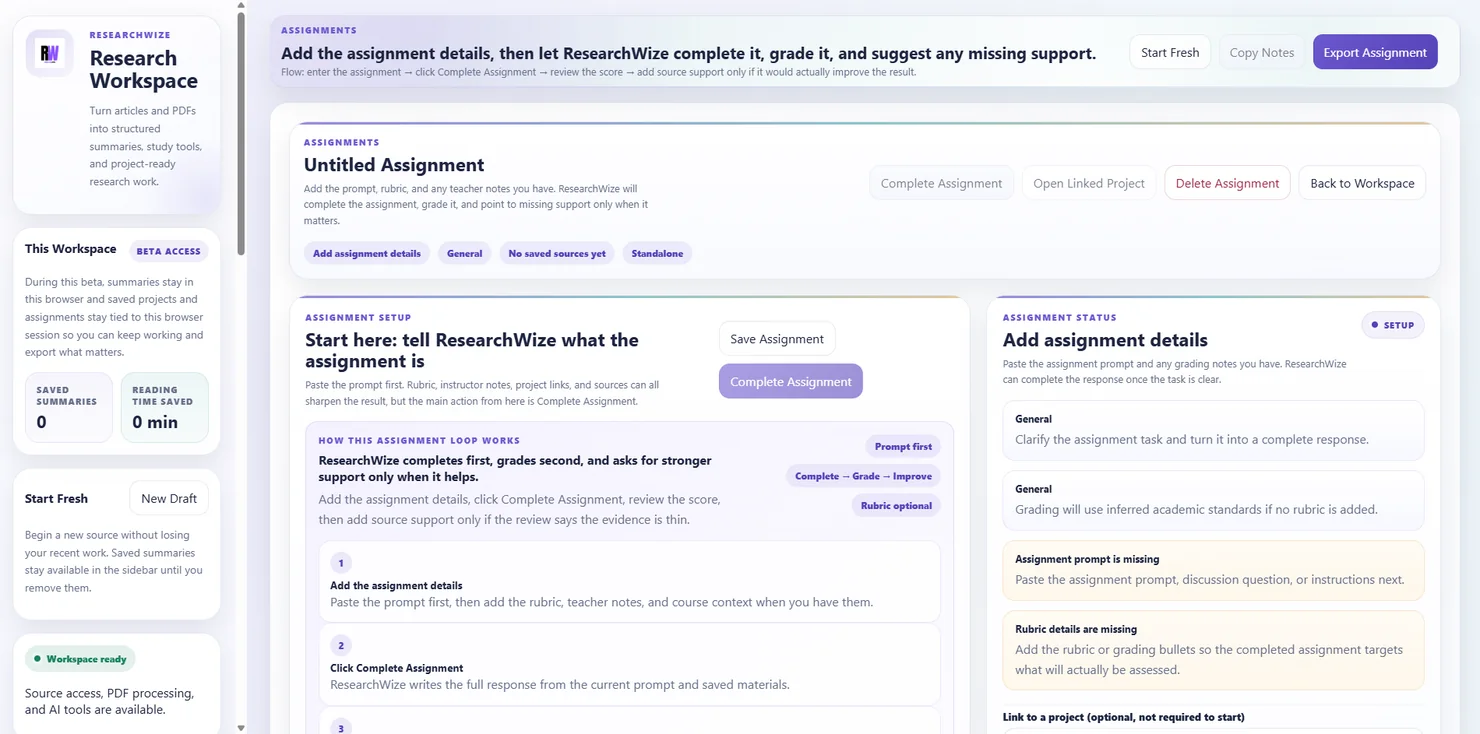
One connected workspaceKeep sources, assignments, and outputs together.
Use the right starting pointBegin with a source or start directly from the assignment prompt.
Write faster without losing structure
The goal is not a random wall of text. It is a usable draft with clear sections, better support, and a workflow that stays connected to the source material.
- Structured first drafts
- Better support
- Reusable project notes
ResearchWize keeps the essay process practical
- Works with assignment prompts, saved projects, and source summaries
- Helps you move from notes to draft without switching tools
- Pairs well with the extension when you capture sources while browsing
Key outcomes
Write faster without losing structure
The goal is not a random wall of text. It is a usable draft with clear sections, better support, and a workflow that stays connected to the source material.
Structured first drafts
Generate a response with a clear direction instead of starting from a blank page.
Better support
Bring in evidence from summarized sources so your essay is grounded, not generic.
Reusable project notes
Keep the source work, essay draft, and supporting material together for later revision.
How it works
From prompt to stronger draft
ResearchWize keeps the student workflow practical and easy to follow.
Paste the assignment
Start with the instructions, rubric, or essay question.
Review or add sources
Summarize webpages or PDFs and save them into the same project.
Generate the response
Build a structured draft inside the assignments workspace.
Improve what matters
Use the score and support guidance to revise weak sections before submitting.
FAQ
Common questions
Answers about how the workflow works in practice.
Yes. You can paste the assignment first, then add sources later if you want stronger support.
Yes. The workflow is designed to help students organize a thesis, supporting points, and revision steps.
Yes. The extension is useful for capturing sources while you browse, but the web app is where the full writing workflow happens.
Ready to get started?
Start your first essay in the web app
Open the web app, drop in a source or assignment prompt, and finish the work in one place.